Using antigravity with opencode
·439 words·3 mins
Table of Contents
Introduction #
I have used OpenCode before to analyze my existing Ansible playbooks. It was already useful as a local coding assistant, but recently I found the opencode-antigravity-auth module that can connect OpenCode to the Antigravity API.
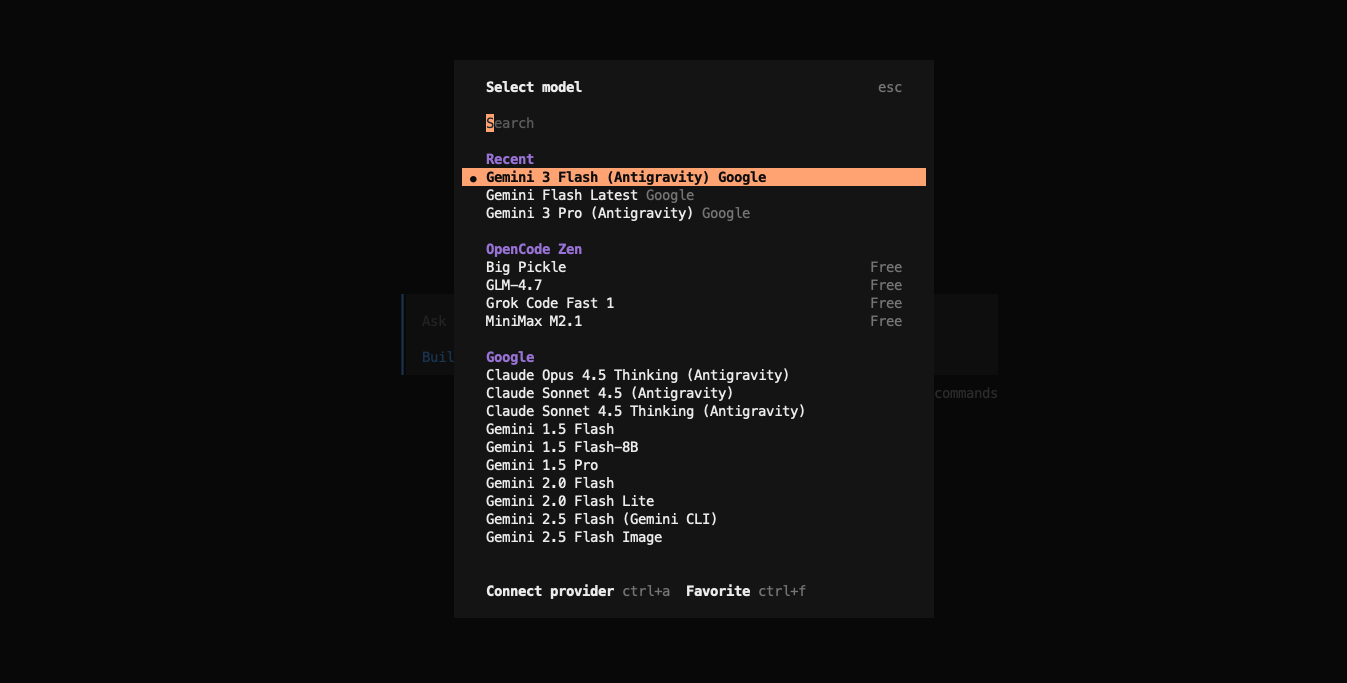
With this module enabled, we can access advanced models such as:
- claude-opus-4-5-thinking
- claude-sonnet-4-5-thinking
- gemini-3-pro-high
directly inside OpenCode for free (with usage limits).
I tested this setup on my Ubuntu 24.04, and the integration ran smoothly without any additional dependencies or complex configuration.
Installation #
To get started, just install the opencode and configure the opencode cnofig.
- Install opencode
curl -fsSL https://opencode.ai/install | bash
- Add plugin opencode-antigravity-auth and some Advaned models to
vim ~/.config/opencode/opencode.json:
{
  "$schema": "https://opencode.ai/config.json",
  "plugin": ["opencode-antigravity-auth@beta"],
  "provider": {
    "google": {
      "models": {
        "antigravity-gemini-3-pro": {
          "name": "Gemini 3 Pro (Antigravity)",
          "limit": { "context": 1048576, "output": 65535 },
          "modalities": { "input": ["text", "image", "pdf"], "output": ["text"] },
          "variants": {
            "low": { "thinkingLevel": "low" },
            "high": { "thinkingLevel": "high" }
          }
        },
        "antigravity-gemini-3-flash": {
          "name": "Gemini 3 Flash (Antigravity)",
          "limit": { "context": 1048576, "output": 65536 },
          "modalities": { "input": ["text", "image", "pdf"], "output": ["text"] },
          "variants": {
            "minimal": { "thinkingLevel": "minimal" },
            "low": { "thinkingLevel": "low" },
            "medium": { "thinkingLevel": "medium" },
            "high": { "thinkingLevel": "high" }
          }
        },
        "antigravity-claude-sonnet-4-5": {
          "name": "Claude Sonnet 4.5 (Antigravity)",
          "limit": { "context": 200000, "output": 64000 },
          "modalities": { "input": ["text", "image", "pdf"], "output": ["text"] }
        },
        "antigravity-claude-sonnet-4-5-thinking": {
          "name": "Claude Sonnet 4.5 Thinking (Antigravity)",
          "limit": { "context": 200000, "output": 64000 },
          "modalities": { "input": ["text", "image", "pdf"], "output": ["text"] },
          "variants": {
            "low": { "thinkingConfig": { "thinkingBudget": 8192 } },
            "max": { "thinkingConfig": { "thinkingBudget": 32768 } }
          }
        },
        "antigravity-claude-opus-4-5-thinking": {
          "name": "Claude Opus 4.5 Thinking (Antigravity)",
          "limit": { "context": 200000, "output": 64000 },
          "modalities": { "input": ["text", "image", "pdf"], "output": ["text"] },
          "variants": {
            "low": { "thinkingConfig": { "thinkingBudget": 8192 } },
            "max": { "thinkingConfig": { "thinkingBudget": 32768 } }
          }
        },
        "gemini-2.5-flash": {
          "name": "Gemini 2.5 Flash (Gemini CLI)",
          "limit": { "context": 1048576, "output": 65536 },
          "modalities": { "input": ["text", "image", "pdf"], "output": ["text"] }
        },
        "gemini-2.5-pro": {
          "name": "Gemini 2.5 Pro (Gemini CLI)",
          "limit": { "context": 1048576, "output": 65536 },
          "modalities": { "input": ["text", "image", "pdf"], "output": ["text"] }
        },
        "gemini-3-flash-preview": {
          "name": "Gemini 3 Flash Preview (Gemini CLI)",
          "limit": { "context": 1048576, "output": 65536 },
          "modalities": { "input": ["text", "image", "pdf"], "output": ["text"] }
        },
        "gemini-3-pro-preview": {
          "name": "Gemini 3 Pro Preview (Gemini CLI)",
          "limit": { "context": 1048576, "output": 65535 },
          "modalities": { "input": ["text", "image", "pdf"], "output": ["text"] }
        }
      }
    }
  }
}
- Login with your Google account, then OAuth with Google (Antigravity)
opencode auth login
Models #